What Is Scan Data and How Does It Work?
What Is Scan Data?
Scan Data is a program offered by tobacco manufacturers (such as Altria and RJ Reynolds) that provides discounts on products in exchange for sharing your store's sales data. When your store participates in a Scan Data program, the manufacturer reimburses you for the discount amount — meaning your customers get lower prices without cutting into your margins.
How It Works
- Enrollment — Your store enrolls in the Scan Data program through CStoreiQ. Each participating store needs a valid account number from the manufacturer.
- Data Sharing — CStoreiQ automatically sends your daily sales data (UPC-level) to the manufacturer.
- Reimbursement — The manufacturer processes the data and reimburses your store for qualifying discounted items.
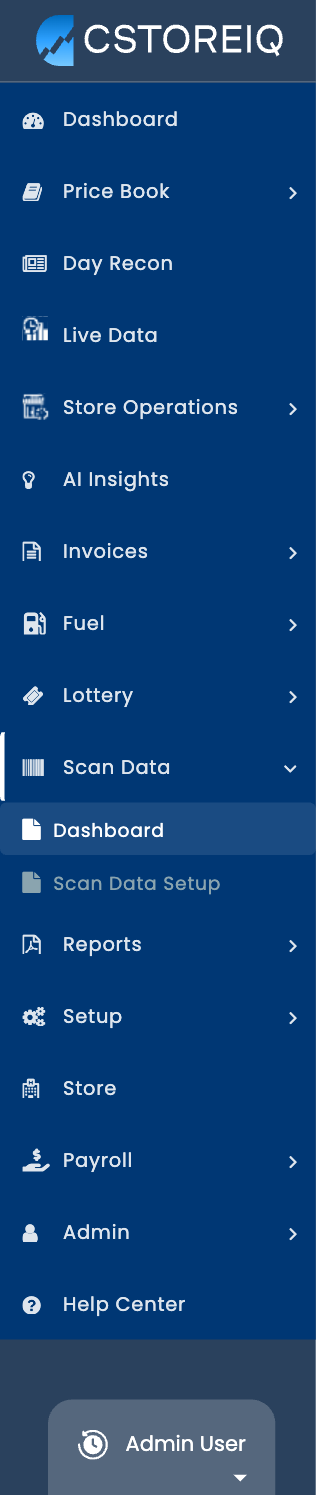 Where to Find It in CStoreiQ
Navigate to Scan Data in the left sidebar. You'll see two sub-sections:
- Scan Data Setup — Configure which stores participate and manage account numbers.
- Dashboard — View reporting on scan data submissions, rebate amounts, and top contributing items.
Key Terms
| Term | Definition |
|---|---|
| Scan Data Program | A manufacturer-sponsored discount program that reimburses retailers for promotional pricing. |
| Account Number | Your store's unique identifier with the manufacturer (e.g., Altria account number). |
| Rebate | The amount reimbursed to your store by the manufacturer for qualifying sales. |
| UPC | Universal Product Code — the barcode on each item used to track sales. |
FAQ
Q: Do I need to do anything manually to send data?
A: No. Once your store is enrolled and set up in CStoreiQ, data is sent automatically.
Q: How often is data submitted?
A: Data is submitted daily to the manufacturer.
Q: Can I see how much I'm earning from Scan Data?
A: Yes — check the Dashboard under Scan Data for detailed reporting on rebates and top items.